
Almost every Kenyan business owner who asks us for an online store says the same sentence within the first two minutes: "and it must accept M-Pesa."
Of course it must. What almost nobody has been told is that "accepting M-Pesa" describes four completely different things, costing between nothing and KES 150,000, taking between one afternoon and five weeks.
Pick the wrong one and you either burn a month waiting on paperwork you did not need, or you build a business on a payment method that cannot scale with it.
Here is the whole picture, in plain English.
First, the news: your M-Pesa costs just dropped
Effective 7 August 2026, Safaricom cut Lipa na M-Pesa business charges.
For Buy Goods (Till) collections, the free band widened. Collections up to KES 500 are now free — previously only up to KES 200, with the KES 201–500 band attracting a 0.55% fee. Collections from KES 501 to KES 36,363 stay at 0.55%, and anything above KES 36,363 remains capped at KES 200.
| Collection band (KES) | Old | New (from 7 Aug 2026) |
|---|---|---|
| 0 – 200 | Free | Free |
| 201 – 500 | 0.55% | Free |
| 501 – 36,363 | 0.55% | 0.55% |
| Above 36,363 | KES 200 cap | KES 200 cap |
Business Till transfers also fell — by up to 50% in some bands. Moving KES 10,001–15,000 from your Till to an M-Pesa number now costs KES 50 instead of KES 100, and the maximum charge on large transfers dropped from KES 108 to KES 54.
Why this matters to you specifically: if your average sale sits between KES 201 and KES 500 — and for a huge number of Kenyan shops, salons, cafés and kiosks it does — your payment processing cost on those sales just went to zero. That changes the maths on selling online. It also quietly makes small-ticket e-commerce viable for businesses where the fee used to eat the margin.
The four ways to accept M-Pesa
1. Manual Till or Paybill — free, and mostly fine at the start
The customer sees your Till number on the website, pays from their phone, and types the confirmation code into your order form. You check your statement and confirm.
Cost: nothing beyond standard Safaricom charges. Setup: you already have it. Honest verdict: at five orders a day this works. At thirty a day it will consume a person's entire morning and you will still ship to someone who mistyped a code. It is a starting point, not a system.
2. A payment gateway — the right answer for most businesses
Paystack, Pesapal, Flutterwave, IntaSend and others sit between you and Safaricom. You get M-Pesa and card payments through one integration, a dashboard, automatic reconciliation, and no direct relationship with Safaricom's paperwork.
Cost: roughly 2.9–3.5% per transaction, sometimes with a small setup fee. Setup: about a week, mostly business verification. Honest verdict: this is where most Kenyan online stores should start and many should stay. You are paying a premium over direct integration for speed, simplicity and someone else's compliance department.
3. Direct Daraja integration (STK Push) — the proper build
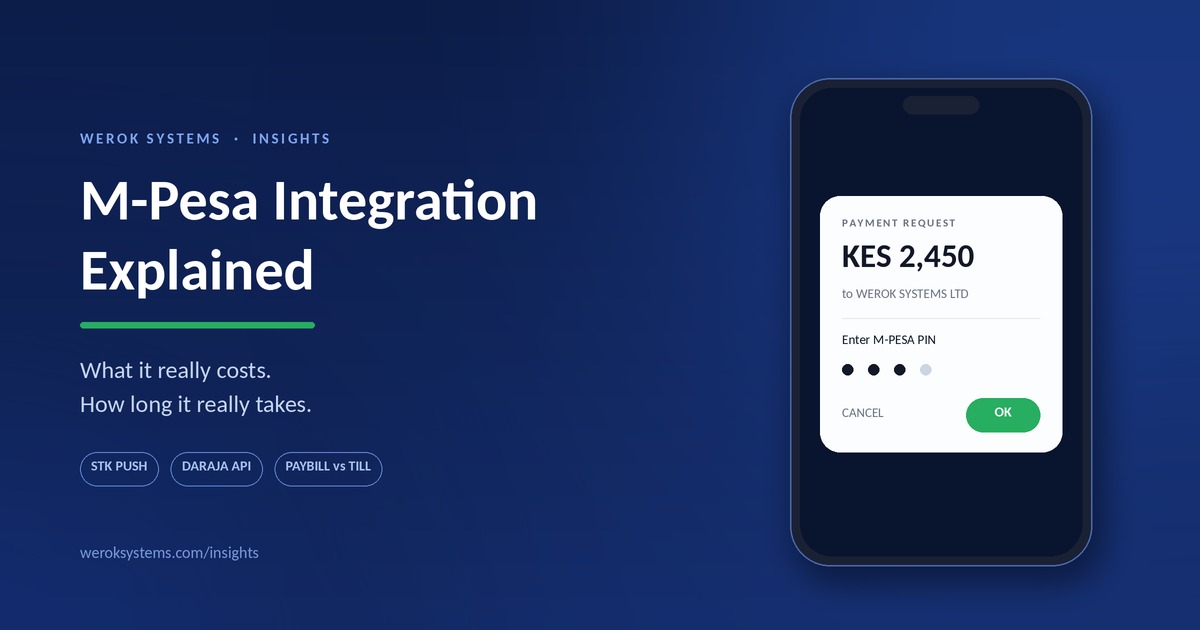
Your website talks straight to Safaricom's Daraja API. The customer clicks "Pay", their phone buzzes with the familiar M-Pesa PIN prompt, they enter their PIN, and your system knows within seconds whether it succeeded.
That prompt is STK Push — technically Lipa na M-Pesa Online. It is the best checkout experience available in this market because the customer never leaves your site and never types a code.
Cost: KES 30,000–150,000 in development, plus your standard Safaricom collection rates. For how that fits into a full build budget, see what a website actually costs in Kenya. Setup: realistically five weeks. Details below. Honest verdict: worth it above roughly KES 300,000–500,000 in monthly volume, or whenever you need full control of the payment flow.
4. Custom system integration — payments inside your operations
M-Pesa wired into a POS, an inventory system, a booking platform or a CRM, so a payment automatically updates stock, closes an invoice, marks an order paid and feeds your eTIMS records without anyone touching a keyboard.
Cost: part of a larger system build, typically KES 150,000+. Honest verdict: this is where the real return is. The saving is not the transaction fee — it is the hours your staff no longer spend reconciling. Here is how to tell whether you need a system or just a website.
Paybill or Till? A 30-second decision
Buy Goods (Till) is for retail. Faster settlement, no account number for the customer to fumble, free for the customer to pay, and it carries the cashback rewards. Shops, restaurants, salons, boutiques.
Paybill is for anything where you need to know which payment belongs to which invoice, tenant, student, order or member. It carries an account reference. Schools, landlords, insurers, SACCOs, subscription businesses.
Pochi la Biashara is for informal traders and freelancers who mainly want business money separate from personal money. Note that from 1 August 2026 the customer-side charges changed: free up to KES 200, then KES 7 for 201–500, KES 13 for 501–1,000, rising to a flat KES 50 above KES 2,500.
Rule of thumb: if you need to match a payment to a specific order, use Paybill. If you just need the money, use a Till.
What a direct Daraja integration really involves
This is the part that gets skipped in every tutorial. The code is the easy half. Here is the honest sequence.
Before you begin, you need all of these
- An existing Paybill or Till number
- A registered business — sole proprietorship or limited company
- A business bank account (it can be empty; it just has to exist)
- A business KRA PIN and the owner's personal KRA PIN
- For a limited company: certificate of incorporation, company KRA PIN, a CR12 less than 90 days old, all directors' IDs and KRA PINs, and a BOF1 form
Missing any of these? Use a gateway. Seriously. The paperwork will cost you more in delay than the fee difference will cost you in a year.
The five-week reality
Week 1 — Get your house in order. Open a business bank account if you do not have one (1–2 days) and request a bank letter confirming it. Update the email registered to your Paybill by dialling *234*2# on the line linked to it. Safaricom will only correspond with that email, and skipping this step is the single most common cause of a stalled application.
Week 2 — Request the Head Office account. Email Safaricom's M-Pesa business team from that registered email, asking for a Head Office account for Daraja API integration. Expect a reply with application forms in one to three days.
Week 3 — Submit everything. Completed application form, signed terms and conditions, a signed authorisation letter specifying your bank settlement details, plus the business documents above. Critically, on the application form, select bank account as the settlement method.
Week 4 — Wait. Safaricom processes in one to three weeks. There is no way to speed this up, and chasing daily does not help. Meanwhile your developer builds and tests everything in the Daraja sandbox, so no time is actually lost.
Week 5 — Go live. You receive Business Administrator credentials. Your developer submits the go-live request on the Safaricom developer portal, you receive an OTP on your phone, you pass it to them, and production credentials arrive within one to three days. Then you test with real money — small amounts, real phones, both success and failure paths — before you announce anything.
What happens technically
For the technically curious, and for anyone who wants to check their developer knows what they are doing:
- Your server authenticates with Daraja using OAuth 2.0 and receives an access token, valid for one hour. A fresh token is needed for each session.
- Your server sends an STK Push request containing the amount, the customer's phone number, your shortcode, a passkey and — importantly — a callback URL.
- The customer's phone displays the PIN prompt. They approve or ignore it.
- Safaricom posts the result to your callback URL. This is the step that separates competent integrations from broken ones. Your system must be listening on a publicly reachable HTTPS endpoint and must handle the failure cases: wrong PIN, insufficient funds, prompt ignored, timeout, duplicate submission.
- Your system verifies the callback, updates the order, and tells the customer.
If a developer tells you the integration is "done" but cannot describe what happens when a customer ignores the prompt, it is not done. That case happens constantly in the real world.
The five things that go wrong
No callback handling. The payment succeeds, the customer is charged, and the site still says "pending". You will find out from an angry WhatsApp message.
No idempotency. The customer taps "Pay" twice. Without protection, you charge twice — or worse, ship twice.
Hardcoded credentials. Consumer key, consumer secret and passkey committed into the codebase or, memorably, into a public GitHub repository. These belong in environment variables, always.
Sandbox left in production. Everything works perfectly in testing and no money ever arrives.
No reconciliation view. Nobody thought about how you would find a payment three weeks later when a customer disputes it. Build the search screen; you will use it weekly.
While you are here: eTIMS
If you are formalising payments, formalise invoicing at the same time. It is the same conversation and doing them separately means doing the work twice.
Since January 2024, KRA has required businesses — including many non-VAT-registered traders and freelancers — to issue invoices through eTIMS. From 1 January 2026, KRA validates income and expense entries in returns directly against e-invoicing data, and expenses without a compliant eTIMS invoice are not deductible.
The practical consequence: your customers increasingly need a compliant invoice from you in order to claim the expense. A business that cannot issue one starts losing B2B customers to one that can — quietly, without ever being told why.
If you are building a system that takes payments, have it generate compliant invoices at the same moment. Bolting it on afterwards costs roughly twice as much.
Frequently asked questions
Can I add M-Pesa to my WordPress or Shopify site? Yes. Plugins exist for WooCommerce, and gateways like Paystack and Pesapal have official integrations for most platforms. A plugin will not give you the deep control of a direct build, but for a standard store it is entirely sufficient.
Do I need a Paybill to accept M-Pesa online? Not for the gateway route — the gateway collects on your behalf. You need your own Paybill or Till for a direct Daraja integration.
How much does Safaricom charge my business? Since 7 August 2026, Buy Goods collections up to KES 500 are free, KES 501–36,363 attract 0.55%, and above KES 36,363 is capped at KES 200. Paybill tariffs differ by band and business type — confirm your specific rates with Safaricom, as commercial terms vary.
Can customers pay from Airtel Money or a bank? Not through Daraja, which is Safaricom-only. Gateways handle Airtel Money, cards and bank transfers alongside M-Pesa through a single integration — which for many businesses is the deciding argument.
Is STK Push safe? Yes. The customer's PIN is entered on their own phone into Safaricom's own prompt. It never touches your website, your server or your developer.
How do I know my developer has actually done this before? Ask three questions: How do you handle the callback? What happens when the customer ignores the prompt? Where are the credentials stored? Vague answers to any of these mean you are funding someone's education.
How we approach this at Werok Systems
We build M-Pesa into websites, stores and custom systems — and we will tell you honestly when a gateway is the better choice, because sending you down a five-week Daraja process you do not need is not a favour.
E-commerce Stores start at KES 90,000. E-commerce-in-a-Box — store, payments, branding and product onboarding — starts at KES 140,000. Custom Business Systems with payments and eTIMS-ready invoicing built in start at KES 150,000.
Where a direct integration is right, we handle the Safaricom correspondence, the document pack and the go-live submission ourselves. You should not have to learn Safaricom's forms in order to sell a haircut online.
Not sure which of the four routes fits your business? Tell us your monthly volume and average order value and we will tell you which one to use — including when the answer is "the free one, for now."
Get a free quote → · Ask us on WhatsApp
Tariffs cited are Safaricom's published business rates effective 7 August 2026 (Pochi la Biashara rates effective 1 August 2026) and are current at the time of writing. Rates change — confirm your own with Safaricom before making commercial decisions. Timelines reflect typical experience and are not guaranteed by Safaricom.